Skip to content
English
  • There are no suggestions because the search field is empty.

How to process payments through Campaign Agent

Use Campaign Agent in Sign to request vendor-paid advertising (VPA) payments alongside a marketing quote. Choose from available payment methods like credit card, electronic funds transfer (EFT), ListSure and VPAPay.

Campaign Agent supports the following:

  • Credit Card

  • Electronic Fund Transfer (EFT)

  • ListSure

  • VPAPay

          How do I pay by credit card?

          1. Open the signed agreement.
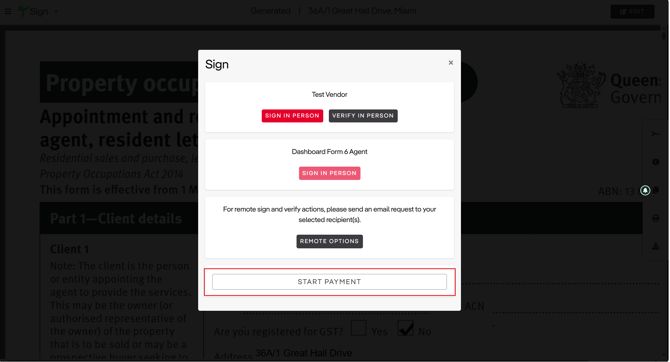
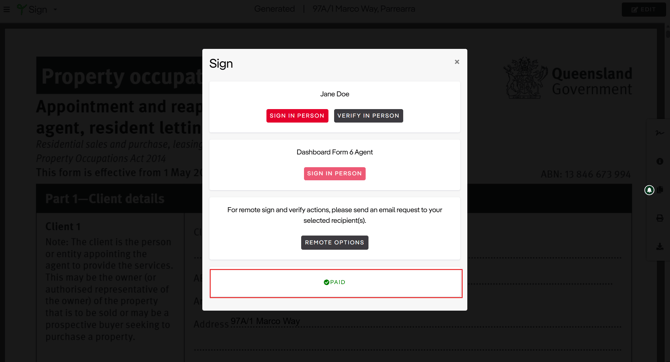
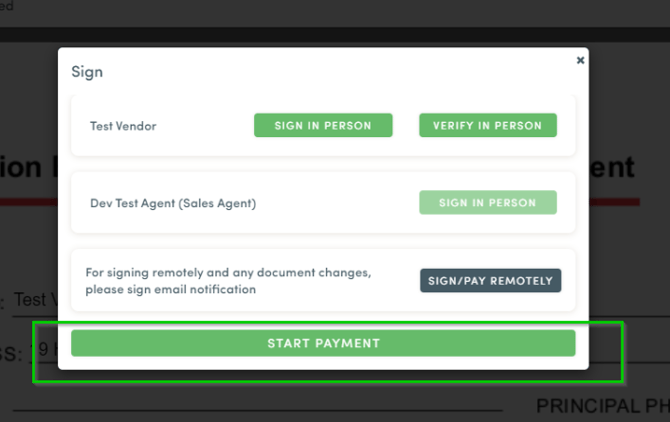
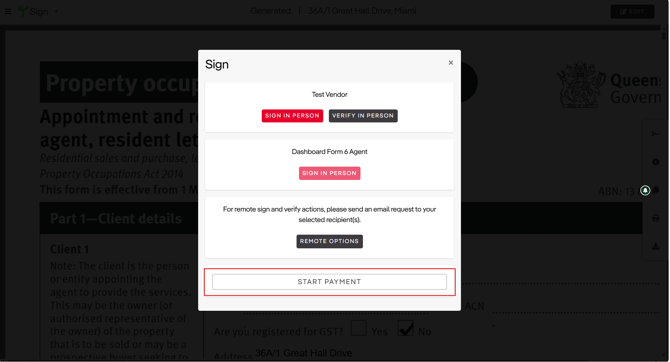
          2. Select the signature icon.
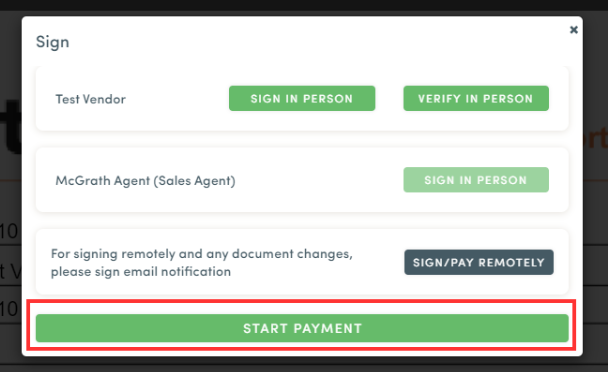
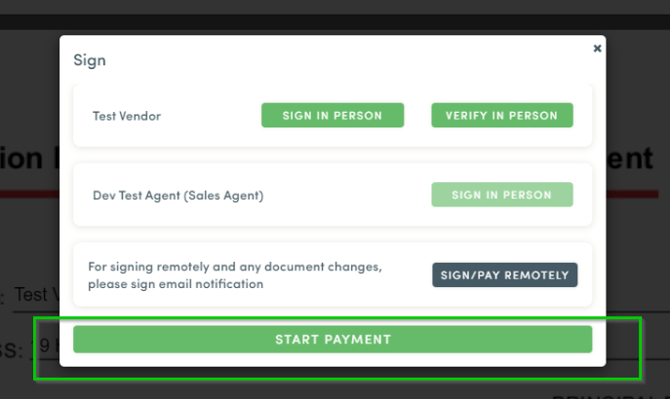
          3. Select ‘Start Payment’ in the pop-up.
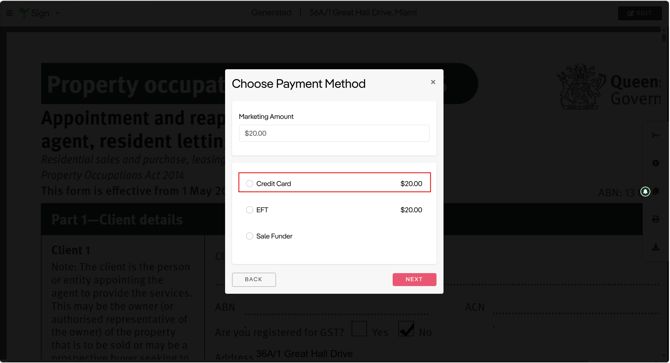
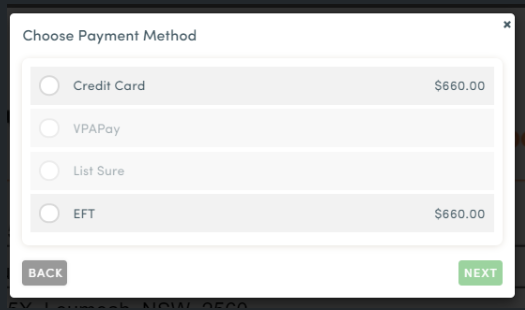
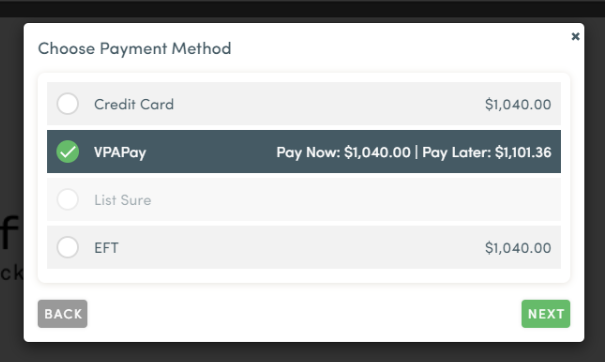
          4. Select ‘Credit Card’.
          5. Click ‘Next’.
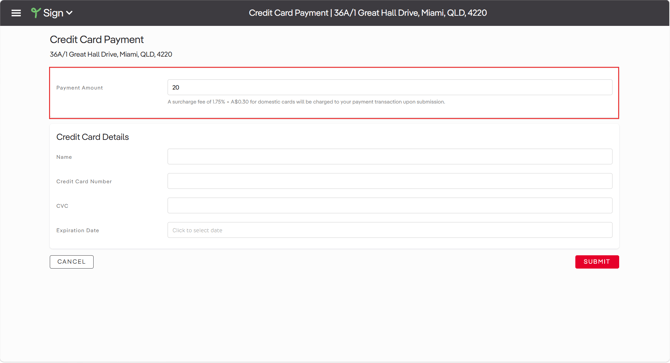
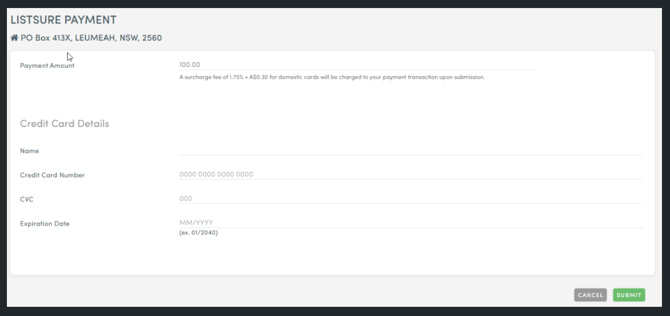
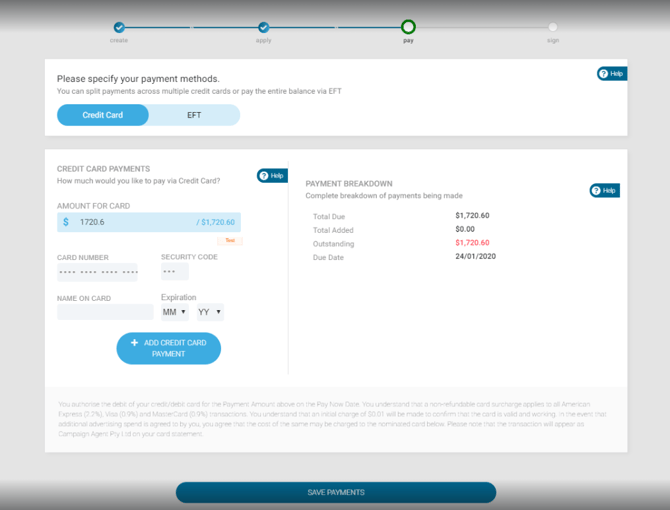
          6. Enter the payment amount and credit card details.
          7. Select ‘Submit’.
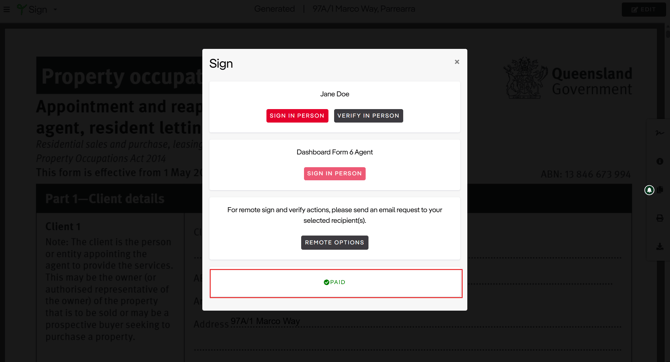
          8. Once the marketing payment is settled, paid icon will be displayed in the sign box.

                            The options available depend on your office configuration.
                            campaign agent-payment processing-cc-1

                            campaign agent-payment processing-cc-2

                            campaign agent-payment processing-cc-3

                            campaign agent-payment processing-cc-4

                            How do I pay by Electronic Fund Transfer (EFT)?

                            No actual payment will be captured in Sign but rather Sign marks the transaction as paid and assumes that an electronic fund transfer will happen using the bank account details provided. 

                            1. Open the signed agreement.
                            2. Select the signature icon.
                            3. Select ‘Start Payment’ in the pop-up.
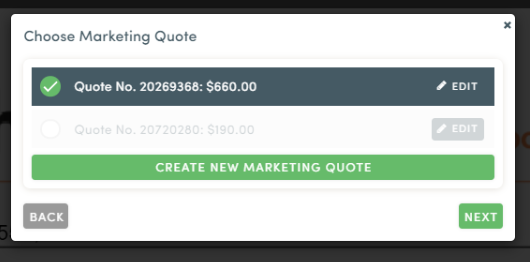
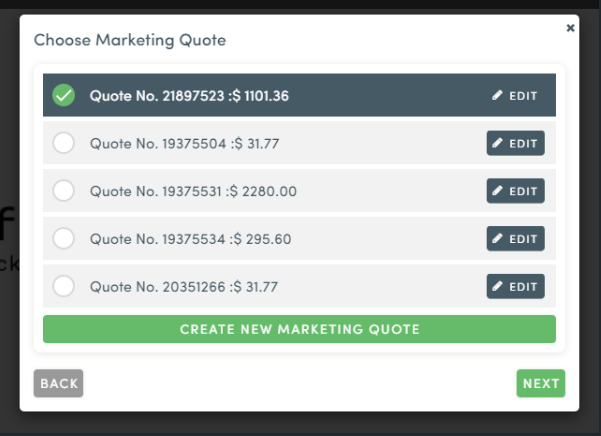
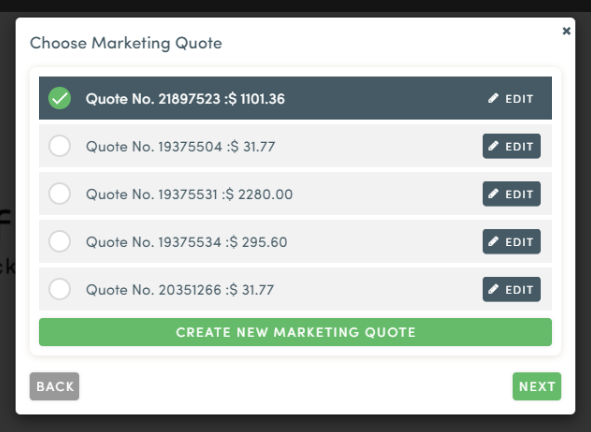
                            4. Ensure the corresponding quote that will be paid is ticked, especially in the case of multiple quotes added.
                            5. Click ‘Next’.
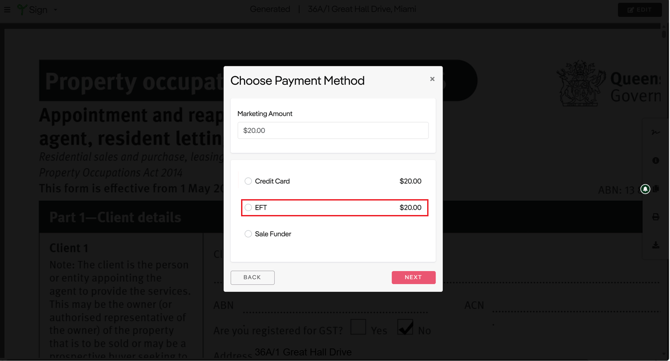
                            6. In the payment method options, select ‘EFT’.
                            7. Click ‘Next’.
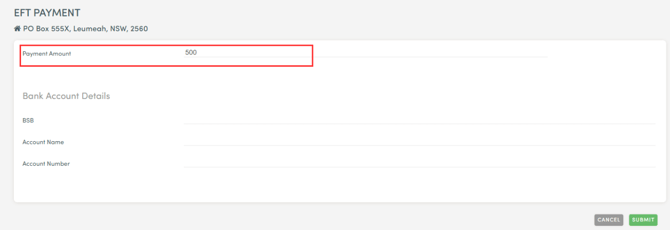
                            8. Enter the payment amount and credit card details.
                            9. Select ‘Submit’.

                            campaign agent-payment processing-eft-1

                            campaign agent-payment processing-eft-2

                            campaign agent-payment processing-eft-3

                            campaign agent-payment processing-eft-4

                            If the first payment does not cover the full amount:

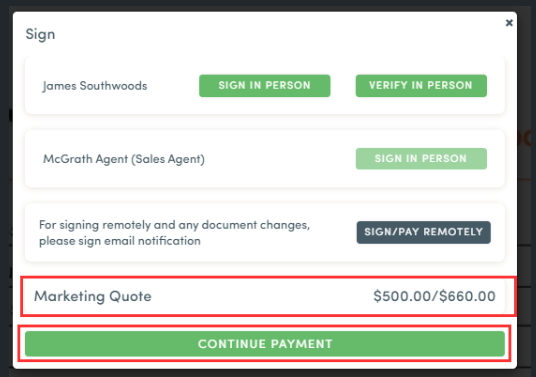
                            1. Click ‘Continue payment’ to proceed with the remaining balance from the agreement.
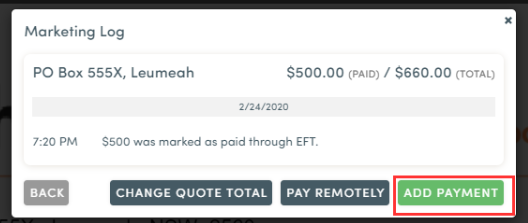
                            2. Sign will open the marketing payment log, where you can select ‘Add Payment’.
                            3. The payment amount will default to the remaining balance.
                            4. When the full marketing amount has been paid, Sign displays the paid icon.
                            campaign agent-payment processing-eft-5

                            campaign agent-payment processing-eft-6

                            campaign agent-payment processing-eft-7

                            campaign agent-payment processing-eft-8

                            How do I pay with ListSure?

                            It is required to have a Stripe account if the marketing payment will be processed through ListSure. ListSure payments will be credited to the office’s stripe account. 

                            1. Open the signed agreement.
                            2. Select the signature icon.
                            3. Select ‘Start Payment’ in the pop-up.
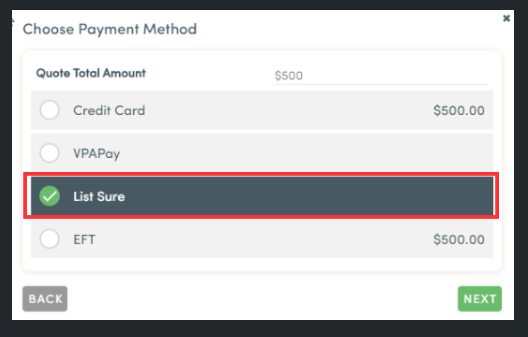
                            4. In the payment method options, select ‘ListSure’.
                            5. Click ‘Next’.
                            6. Enter the payment amount and credit card details.
                            7. Select ‘Submit’.

                            campaign agent-payment processing-listsure-1

                            campaign agent-payment processing-listsure-2

                            campaign agent-payment processing-listsure-3


                            How do I pay with VPAPay by Campaign Agent?

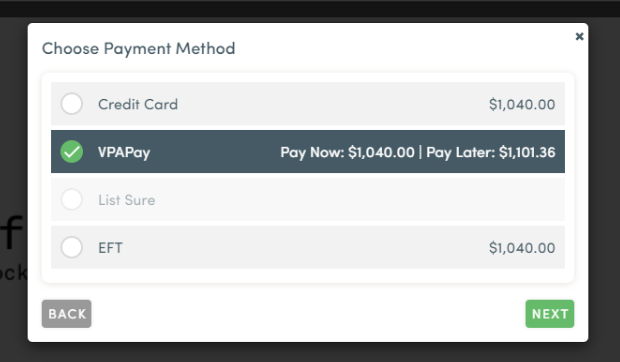
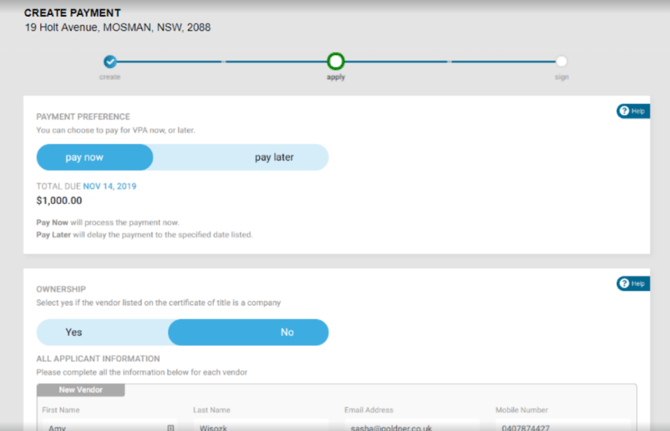
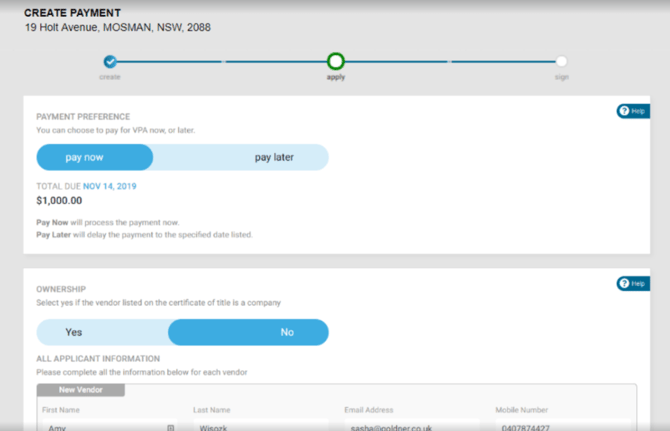
                            VPAPay is Campaign Agent’s vendor-paid advertising payment option. It allows the vendor to choose Pay Now or Pay Later for the marketing costs.

                            VPAPay cannot be combined with other payment methods. Only credit card and EFT can be used for split payments, and the available options vary by office configuration.

                            VPAPay in Person (I'll do it now)

                            Use this option when completing the application with the vendor.

                            1. In the payment method options, select ‘VPAPay’.
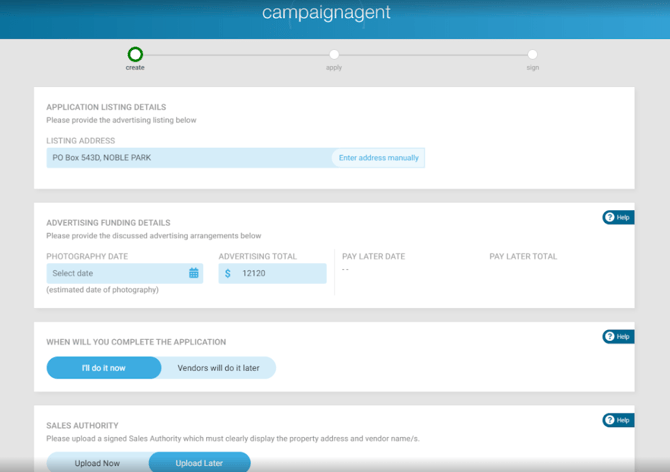
                            2. Campaign Agent will open.
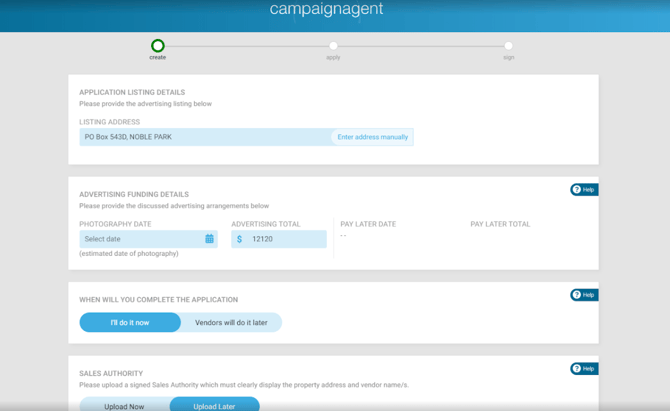
                            3. Complete the VPAPay application details.
                            4. Select ‘I’ll do it now’.
                            5. Click ‘Submit’.
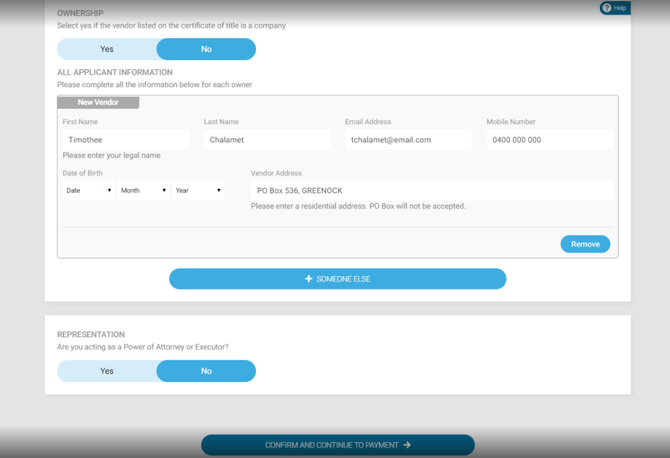
                            6. Enter the vendor’s information.
                            7. Select your preferred settlement option:
                              • Pay Now – Payments are processed through credit card or EFT.
                              • Pay Later – Skip the payment page and continue to the signing process.
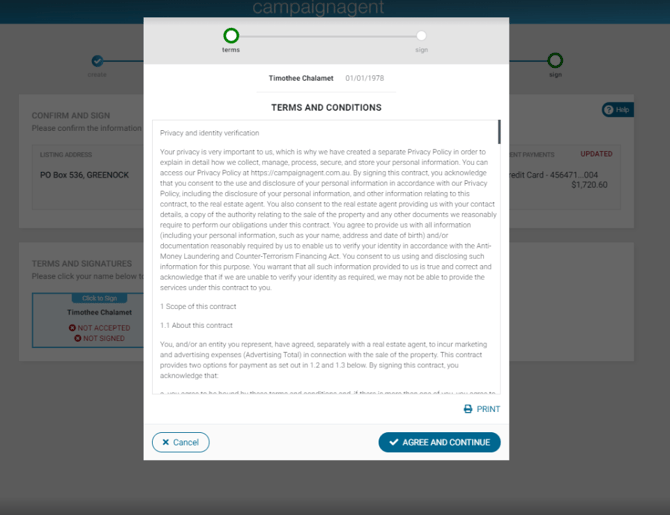
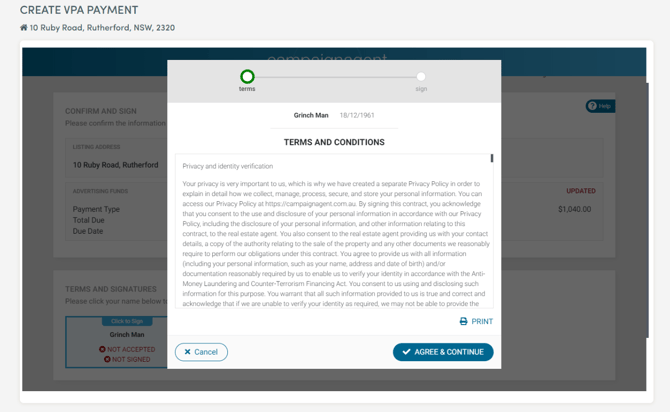
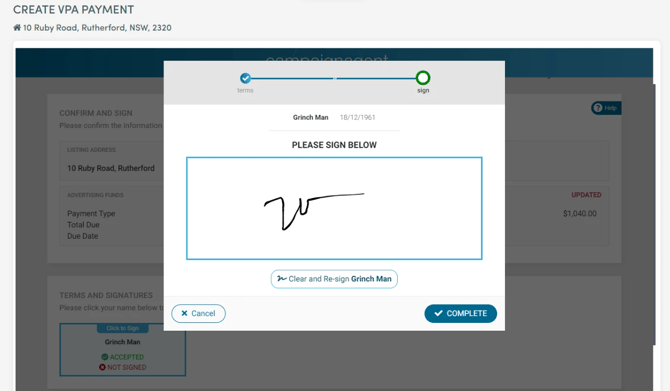
                            8. Select ‘Agree and continue’.
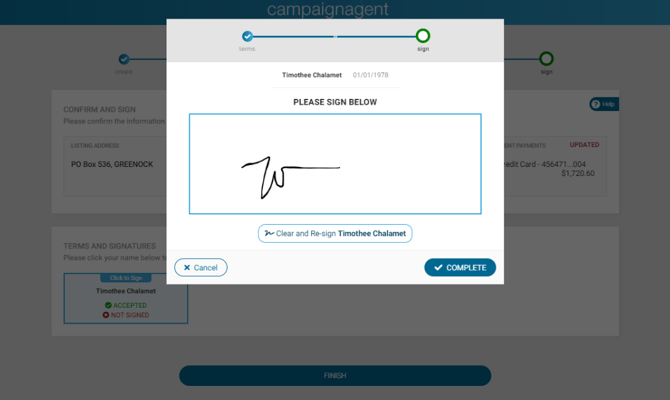
                            9. Sign the VPAPay form.

                                                  The signed VPAPay form is bundled with the Agency Agreement. You can also check the application status from the campaign status page.
                                                  campaign agent-payment processing-vpapay-1

                                                  campaign agent-payment processing-vpapay-2

                                                  campaign agent-payment processing-vpapay-Sep-18-2026-02-39-28-1151-AM

                                                  campaign agent-payment processing-vpapay-4

                                                  campaign agent-payment processing-vpapay-remote-5

                                                  campaign agent-payment processing-vpapay-6

                                                  campaign agent-payment processing-vpapay-7

                                                  campaign agent-payment processing-vpapay-8

                                                  campaign agent-payment processing-vpapay-9

                                                  VPAPay Remotely (Vendors will do it later)

                                                  Use this option when you need to send the application to the vendor.

                                                  1. In the payment method options, select ‘VPAPay’.
                                                  2. Campaign Agent will open.
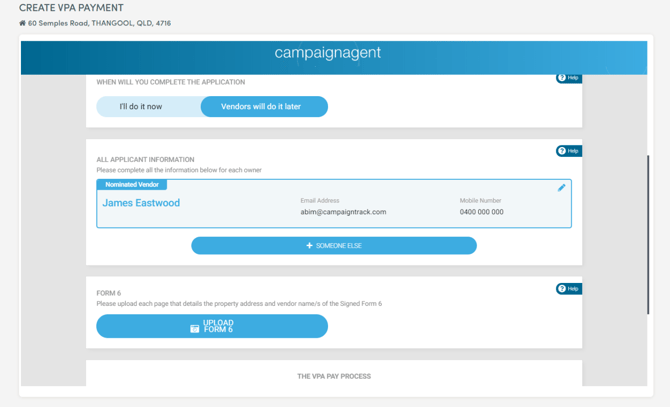
                                                  3. Complete the VPAPay application details.
                                                  4. Select ‘Vendor will do it later’.
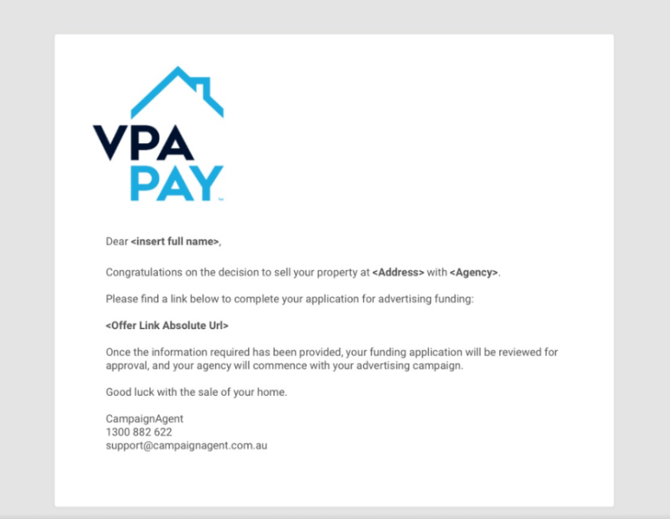
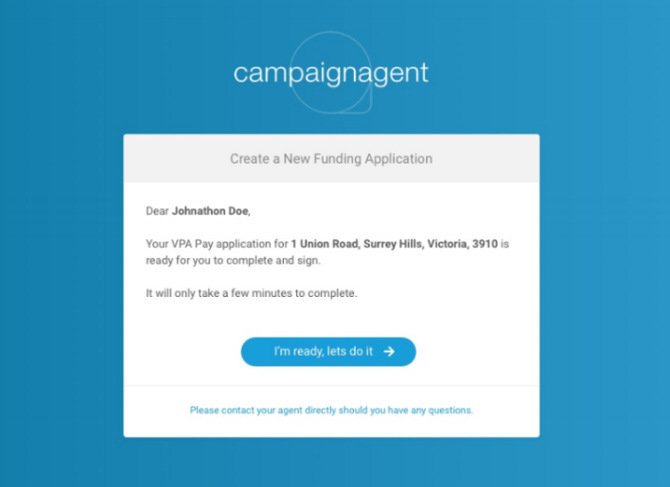
                                                  5. A VPAPay link will be sent to the nominated vendor via email.
                                                  6. Select your preferred settlement option:
                                                    • Pay Now – Payments are processed through credit card or EFT.
                                                    • Pay Later – Skip the payment page and continue to the signing process.
                                                  7. Select ‘Agree and continue’.
                                                  8. Sign the VPAPay form.

                                                  campaign agent-payment processing-vpapay-remote-1

                                                  campaign agent-payment processing-vpapay-remote-2

                                                  campaign agent-payment processing-vpapay-remote-3

                                                  campaign agent-payment processing-vpapay-remote-4

                                                  campaign agent-payment processing-vpapay-remote-5

                                                  campaign agent-payment processing-vpapay-remote-6

                                                  campaign agent-payment processing-vpapay-remote-7

                                                  campaign agent-payment processing-vpapay-remote-8

                                                  campaign agent-payment processing-vpapay-remote-9

                                                  campaign agent-payment processing-vpapay-remote-10

                                                  campaign agent-payment processing-vpapay-remote-11


                                                  To find out some more info on how Campaign Agent works see below.

                                                  👉 How Campaign Agent works