![Realtair RGB Green Box Logo.jpg]](https://help.realtair.com/hs-fs/hubfs/Realtair%20RGB%20Green%20Box%20Logo.jpg?height=50&name=Realtair%20RGB%20Green%20Box%20Logo.jpg)
Before you start
Make sure you have:
- An existing Victorian auction or fixed-date sale listing.
- Access to edit the listing.
- The vendor’s Reserve Price.
You don’t need to provide the Reserve Price to activate the listing. However, you must provide and publish it at least seven days before the auction or fixed-date sale.
Step 1: Open the Reserve section
- Log in to Realtair.
- Open the relevant Victorian campaign or property listing.
- Select Sell.
- Open the listing details.
- Open the Reserve section.
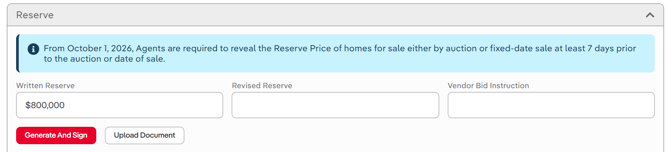
Step 2: Enter the Written Reserve
- Enter the vendor’s Reserve Price in the Written Reserve field.
- Check that the value has saved.
- Return to the property checklist.
The Reserve Price is tracked through the property checklist and appears publicly on Victorian auction listings when supplied.
Step 3: Check the property checklist
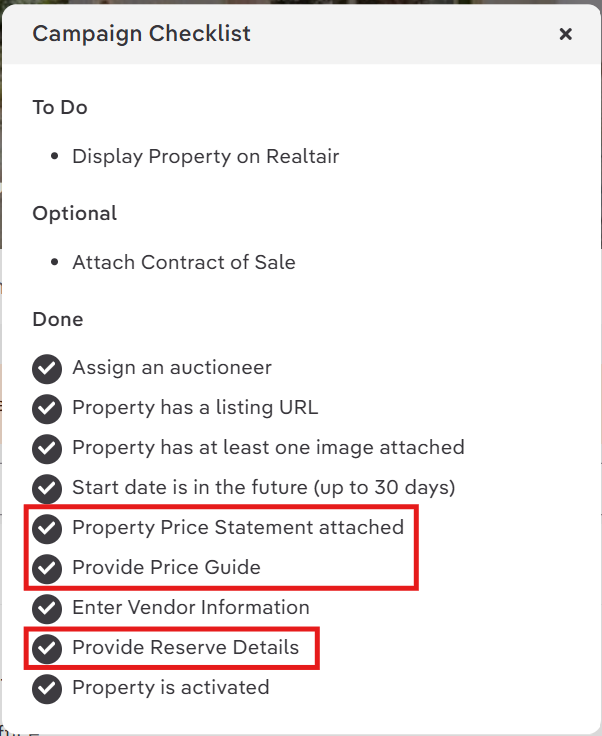
Confirm that Provide Reserve Details appears in the Done section.
Also check that the following required items are complete:
- Property Price Statement attached
- Provide Price Guide
- Provide Reserve Details
Complete any item that remains in To Do before continuing.
Step 4: Check the public listing
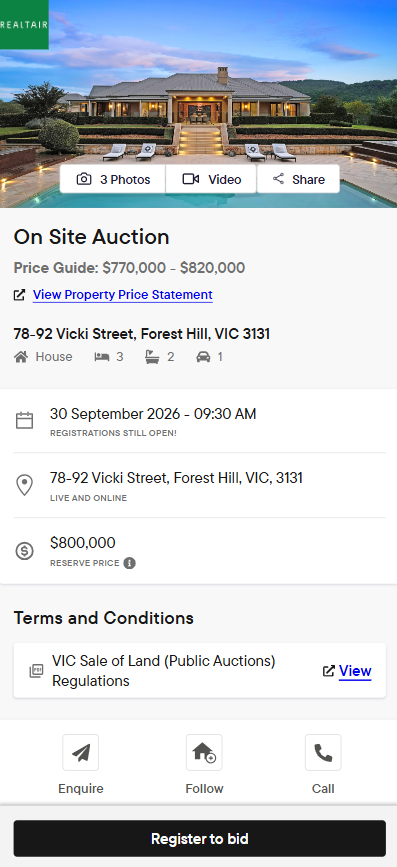
After you save the Reserve Price:
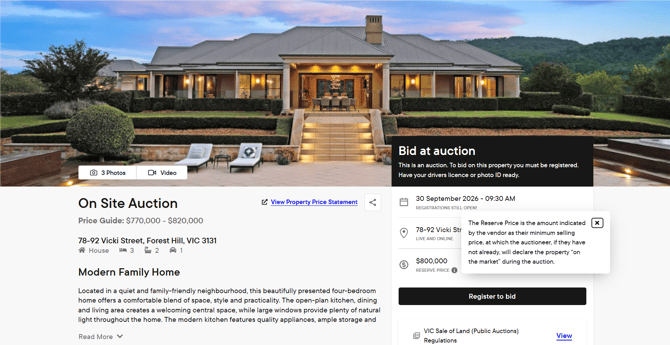
- Open the public listing page.
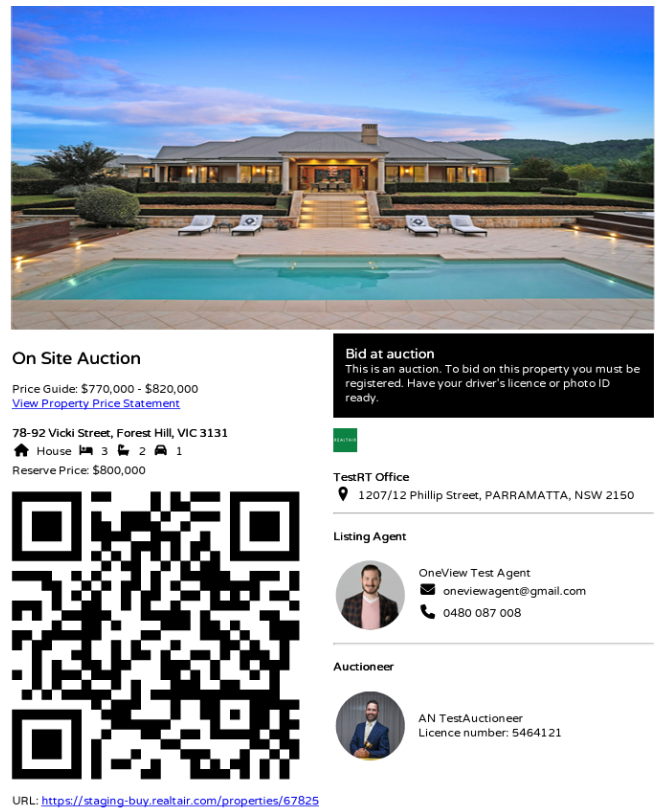
- Confirm that the Reserve Price appears.
- Check that the Price Guide appears.
- Confirm that the Property Price Statement link appears.
- Generate a new Share QR code PDF.
- Check that the PDF reflects the same information as the public listing.
The Reserve Price appears publicly when you provide a value. It doesn’t appear when no value is available or when the listing changes to Private Treaty or Timed Sale.
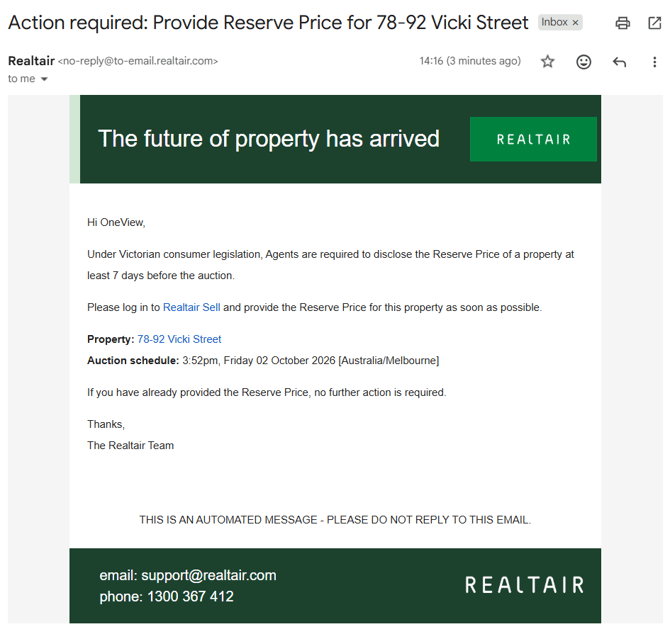
How does Realtair notify if there is a missing Reserve Price?
Realtair reminds agents when a Victorian auction is approaching, and the Reserve Price hasn’t been provided.
- 10 days before the auction: A reminder appears at the top of the Details page with an action button to add the Reserve Price.

- 7 days before the auction: The reminder changes to a warning if the Reserve Price is still missing.

- Automated email reminder: Realtair sends an automated email to the Primary Agent and Conjunction Agents when the scheduled reminder runs and no Reserve Price has been provided. The reminder runs daily at 9 am Australian Eastern Time.
FAQs
Why can’t I enter the Reserve Price?
Check that:
- Vendor information has been supplied.
- The selected method of sale is an auction.
Reserve Price warnings don’t apply after a listing changes to Private Treaty or Timed Sale.
Why is the Reserve Price warning still displayed?
The warning is not applicable after conversion to Private Treaty or Timed Sale.
- Open the Reserve section.
- Enter the value in Written Reserve.
- Save the value.
- Return to the Details page and refresh it.
- Confirm that the listing is still an auction.
When is the Reserve Price shown publicly?
It is shown on Victorian auction listings when a Reserve Price has been supplied. It is not shown when no value is available or when the listing has changed to Private Treaty or Timed Sale.
Is the Reserve Price required before activation?
No. You can activate the listing without entering the Reserve Price. However, you must provide and publish it at least 7 days before an auction or fixed-date sale.
Does the Reserve Price prefill from my CRM?
Not in this release. The Reserve Price isn’t available in CRM XML files. Once CRMs include it, Realtair can map the fields and auto-prefill it.
Can an auction start without a Reserve Price?
The system doesn’t stop an auction from starting without a Reserve Price. Agents and the auctioneer remain responsible for complying with applicable regulations.